If your Android phone has been feeling slower lately or you’re constantly running out of storage, there’s a hidden feature in Android that might just save the day. It’s called App Archiving, and it’s one of Google’s smartest innovations to improve smartphone performance and storage management — all without deleting your favorite apps.
Many Android users in the U.S. have experienced the frustration of getting that dreaded “storage full” notification. Between photos, videos, social apps, and games, your phone’s storage can fill up fast. And uninstalling apps you occasionally need isn’t always ideal. That’s exactly the problem Google aimed to solve with this groundbreaking feature.
What Is App Archiving?
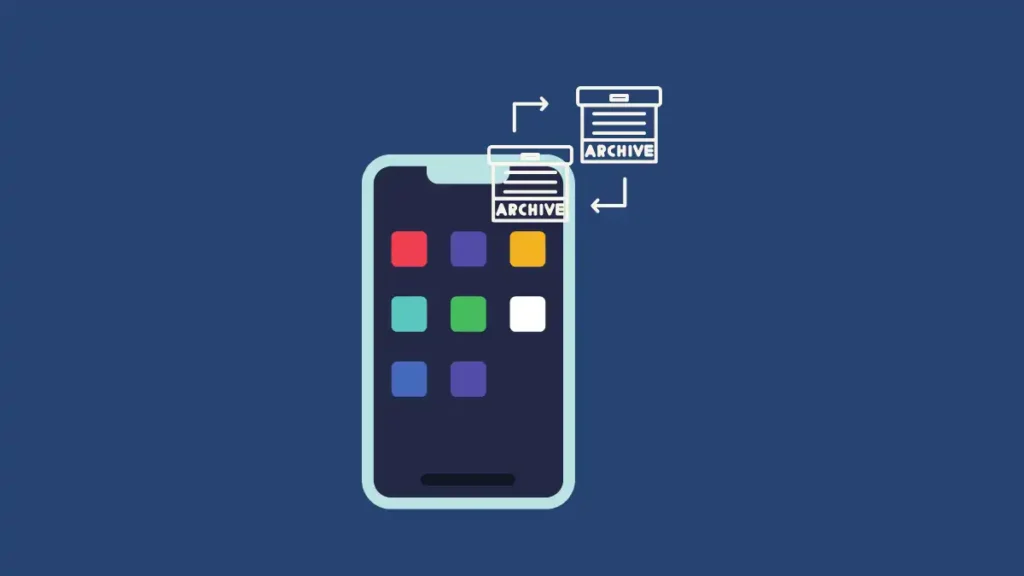
App Archiving is a built-in Android feature that temporarily removes unused parts of an app to save space while keeping your personal data and settings intact. It’s like putting an app in “sleep mode.” When you need it again, you can restore it instantly — no data loss, no re-login hassle, and no need to reinstall from scratch.
When an app is archived, Android removes unnecessary files like cache data, background permissions, and temporary storage. However, your main data, preferences, and user files remain safely stored on your device. When you reactivate the app, it feels just like before — only now, your phone has more space and speed in the meantime.
Why It’s a Game Changer for Android Users
This hidden feature in Android can make your phone significantly faster. By freeing up gigabytes of unused space, the system can perform updates more efficiently and allocate resources better.
Here’s what you gain with App Archiving:
- Faster app launches and system performance
- Less background lag and battery drain
- More space for photos, videos, and games
- No need to delete and reinstall apps
- Automatic optimization when your storage runs low
For users who frequently run out of space or have older phones, this feature can extend the life of your device without needing an expensive hardware upgrade.
How to Enable Android’s App Archiving Feature
You can activate App Archiving either automatically through Google Play or manually through Android settings. Both methods are simple and take less than a minute.
Option 1: Enable Automatic Archiving (Recommended)
- Open the Google Play Store.
- Tap your profile icon (top-right corner).
- Go to Settings > Automatically archive apps.
- Toggle the option ON.
Once enabled, Google Play will automatically archive rarely used apps whenever your phone’s storage runs low. You’ll recognize archived apps because their icons appear faded with a small cloud arrow.
Option 2: Manual Archiving via System Settings
- Open your phone’s Settings.
- Tap Apps.
- Choose the app you want to archive.
- Select the Archive app.
When you want to use it again, simply tap the app icon — Android will restore it in seconds using your existing data.
How to Restore Archived Apps
Restoring is just as easy. Tap the faded app icon on your home screen or app drawer, and Google Play will automatically download the missing components. The app opens normally after that, with all your data right where you left it.
If you prefer to manage things manually, go to Settings > Apps > Archived Apps, then tap Restore. The process takes only a few seconds on a stable Wi-Fi or mobile data connection.
When You Should (and Shouldn’t) Use App Archiving

App Archiving is perfect for:
- Large apps that you rarely use
- Games you’ve finished but might play again
- Seasonal apps (travel, sports, holiday apps)
- Work tools you only need occasionally
However, you may not want to archive:
- Messaging apps like WhatsApp or Telegram
- Banking apps that require constant logins
- Security apps and password managers
- Health or tracking tools that collect background data
For maximum convenience, you can disable automatic archiving for specific apps:
- Go to Settings > Apps > App info.
- Turn off Manage this app if not used.
This ensures critical apps remain available at all times.
Real-World Example: How Much Space You Can Save
A test performed by SlashGear and Android Authority found that archiving 10 rarely used apps freed up over 3.2 GB of space on a Pixel 7 device. That’s enough room for:
- 1,000 photos
- 50 HD videos
- Or two large games like Call of Duty Mobile or Genshin Impact
The performance boost was noticeable — smoother scrolling, faster switching between apps, and shorter boot times.
According to Statista, the average Android user in the U.S. keeps more than 80 apps installed but regularly uses only 20–25. That means nearly 60% of installed apps sit idle — perfect candidates for archiving.
Why Google Introduced This Hidden Feature
Google’s decision wasn’t just about convenience. With smartphones becoming more storage-heavy due to 4K video, massive app sizes, and cached AI data, users needed a smarter way to manage resources.
Rather than forcing users to buy devices with higher storage or pay for cloud subscriptions, Google offered a built-in solution — App Archiving. It’s eco-friendly, reduces data redundancy, and helps older phones stay useful longer.
Comparison: App Archiving vs Uninstalling
| Feature | App Archiving | Uninstalling |
|---|---|---|
| Keeps user data | ✅ Yes | ❌ No |
| Frees up space | ✅ Yes | ✅ Yes |
| Reinstallation required | ❌ No | ✅ Yes |
| Internet needed to restore | ✅ Yes | ✅ Yes |
| Recommended for system apps | ✅ Yes | ❌ No |
As you can see, archiving strikes the perfect balance between freeing space and keeping convenience intact.
Best Android Devices That Benefit Most
If your phone is running Android 13 or later, you can already take advantage of App Archiving. The feature works best on phones with limited internal storage (64GB or less).
Top models that benefit include:
- Google Pixel 6a and 7a
- Samsung Galaxy A14 and A34
- OnePlus Nord N30
- Motorola Moto G Power
Speed Boost Tip: Pair It with Faster Hardware
Want even faster performance? Combine App Archiving with a high-speed microSD card. A quality card can dramatically reduce lag when restoring or transferring archived app data.
Affiliate Recommendation:
🔗 Samsung EVO Select 256GB microSDXC — Fast, durable, and optimized for Android storage.


Using this card can improve file loading times by up to 40%, especially for photo and video-heavy users.
Expert Tips for Maximizing Android Speed
- Keep your OS updated — newer patches optimize memory and background performance.
- Clear cache monthly — avoid redundant app data buildup.
- Uninstall bloatware — remove unused manufacturer apps.
- Use Lite versions of heavy apps (e.g., Facebook Lite, Messenger Lite).
- Enable Adaptive Battery — lets Android limit background use for rarely opened apps.
Combining these methods with App Archiving can make your phone feel brand new — even if it’s several years old.
FAQs
Q: Does App Archiving work offline?
No. You’ll need an internet connection to restore archived apps since the missing components are downloaded from Google Play.
Q: Can I archive system apps?
Most system apps can’t be archived, but you can disable or limit their background activity in Settings.
Q: Is my data safe after archiving?
Yes. Your personal app data remains stored locally, even when the app is archived.
Q: How much space can I save?
It depends on your app library, but users report saving between 20%–40% of total storage.
Internal Links (for Wiztechno.com)
- The Alarming Truth About Using The Phone While Charging in 2025
- Xiaomi 17 Pro & Galaxy S26: The SHOCKING iPhone 17 Inspiration Revealed!
- Emptying a Gmail mailbox without Lost Messages: Smart Free Hack in 2025
External References
- Statista: Average Number of Apps Installed per User
- Android Authority: Hands-on Testing of App Archiving
- Google Support: Manage Archived Apps
Final Thoughts

The hidden feature in Android — App Archiving — is more than just a storage trick. It’s a testament to how Google continues refining Android for smarter, faster, and cleaner performance. Whether you’re managing a budget phone or a flagship, this feature helps you enjoy a smoother experience without sacrificing your favorite apps.
As Android keeps evolving, features like this bridge the gap between performance and convenience — ensuring your smartphone remains fast, efficient, and clutter-free.
Source: WizTechno.com + external tech reports