
Copilot’s Voice Expressions: Microsoft’s Bold Step Toward Truly Human AI Voices
The rise of artificial intelligence has changed nearly every aspect of our digital world — from chatbots that can hold a conversation to tools that generate lifelike images. But one challenge has always remained: how to make AI voices sound truly human.
That’s exactly what Microsoft aims to solve with Copilot’s Voice Expressions, a breakthrough tool designed to transform emotionless digital narration into rich, natural human speech. This innovation isn’t just another text-to-speech engine — it’s a major leap toward bridging emotion and machine-generated sound.
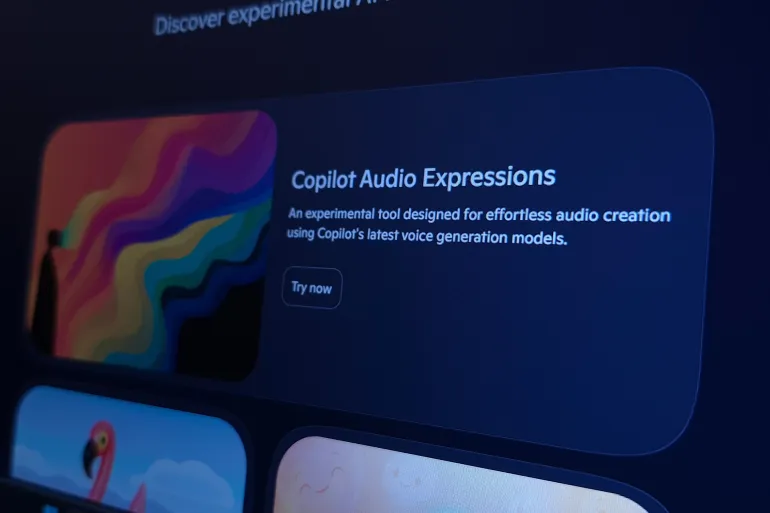
Whether you’re a content creator, educator, or developer exploring interactive storytelling, this new feature could reshape how you communicate through technology. Let’s dive deep into how Microsoft’s Copilot’s Voice Expressions is redefining what AI-generated voices can do — and why it might just change the way we experience sound forever.
What are Copilot’s Voice Expressions?
Copilot’s Voice Expressions, introduced under Microsoft’s Copilot Labs, is an experimental AI-driven audio generation tool that lets users turn written text into human-sounding voices with emotional tone and personality.
Unlike standard robotic text-to-speech systems, this tool brings emotion, rhythm, and subtle expression into every word. You can make your AI narrator sound enthusiastic, calm, sad, dramatic, or even humorous — depending on the message you want to deliver.
Essentially, Copilot’s Voice Expressions is Microsoft’s bold experiment in emotional AI, giving creators unprecedented control over how their digital voices sound and feel.
Copilot Labs: The Playground for Microsoft’s AI Innovations
To understand why this feature matters, it helps to know what Copilot Labs is all about.
Copilot Labs is Microsoft’s experimental platform where users can test early AI tools before they’re officially released. Think of it as a sandbox where innovation meets feedback — a space where creators can play with emerging technologies and help refine them.
According to Microsoft’s product engineers, Copilot Labs serves as a community-driven incubator for AI ideas. Users are encouraged to try, break, and improve experimental tools. From 3D model generators to AI-assisted storytelling tools, this platform showcases the next frontier of interactive computing.
💡 Fun Fact: Many features now integrated into Microsoft 365 Copilot and Windows 11 AI functionalities were first tested through Copilot Labs.
How to Access Copilot Labs
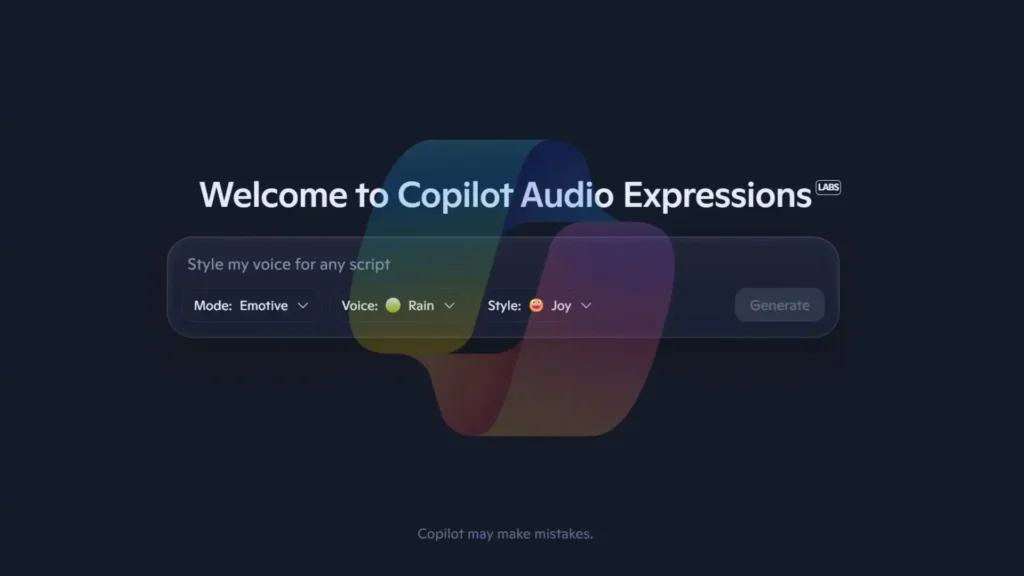
Using Copilot Labs is remarkably simple:
- Visit the official Copilot Labs website via any modern browser.
- Browse the list of available AI experiments.
- Click “Try Now” to begin exploring a feature.
- (Optional) Log in with your Microsoft account for full functionality.
Microsoft recommends using desktop browsers for optimal performance, especially when generating audio files or longer content pieces.
Why Copilot’s Voice Expressions Is a Game-Changer
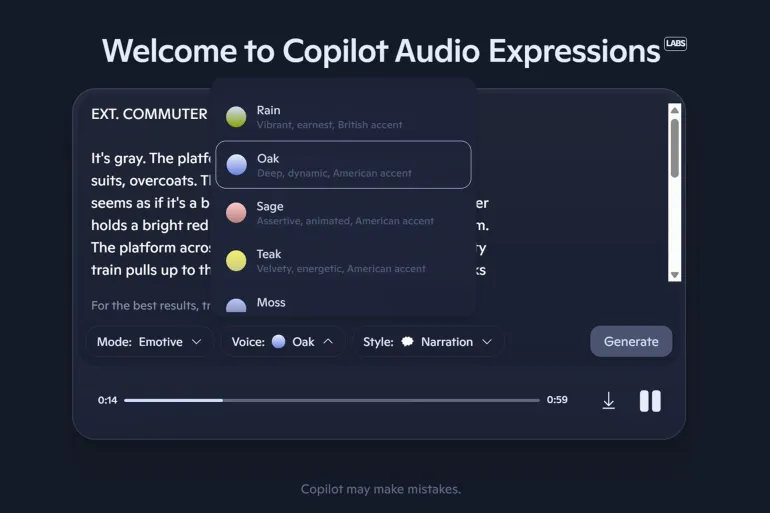
Most text-to-speech (TTS) tools sound sterile and robotic. Even with advancements in AI voice synthesis, they often lack emotional depth and realistic pacing. That’s where Copilot’s Voice Expressions sets itself apart.
Here’s why it stands out:
1. Emotional Intelligence in Voice Generation
Using its Emotive Mode, Copilot’s Voice Expressions lets users infuse feelings into speech. You can make the AI voice whisper, shout with excitement, or speak with sorrow — just like a real human.
For example, an educator could use a calm, reassuring tone for bedtime stories, while a podcaster might select a more energetic voice to keep their audience engaged.
2. Personalized Voice Styles and Control
Users can fine-tune multiple parameters:
- Pitch and Speed: Adjust the rhythm to suit the tone of your message.
- Emotion Settings: Choose between calm, joyful, intense, or empathetic modes.
- Voice Personalities: Assign unique tones to multiple characters within the same project.
This level of granular voice customization makes it perfect for storytellers, educators, and even small businesses producing audiobooks or ads.
3. Natural Flow and Pronunciation
Microsoft’s advanced neural text-to-speech (NTTS) technology ensures that sentences flow naturally — with realistic pauses and emphasis. This means no more flat, mechanical readings that break immersion.
4. Accessibility and Inclusion
By making voice synthesis accessible and lifelike, Copilot’s Voice Expressions also empowers individuals with visual impairments or reading difficulties. The ability to convey tone and empathy through voice can make educational and accessibility tools far more effective.
Hands-On Example: Testing Copilot’s Voice Expressions
To see how powerful this tool really is, we tested it using an excerpt from Fyodor Dostoevsky’s Crime and Punishment:
“Error is the one thing that distinguishes humans from all other living beings. Those who err eventually reach the truth.”
Step-by-Step Test
- Text Input: We pasted the quote into the tool’s interface.
- Mode Selection: Choose Emotive Mode to highlight emotional depth.
- Tone Setting: Selected sad and reflective.
- Generation: The tool produced a voice that felt genuinely human — slow, deliberate, and melancholic.
The resulting voice not only sounded authentic but also captured the underlying emotion of the text. It’s a stunning example of how far Microsoft’s AI voice synthesis has evolved.
🎧 Imagine this technology in audiobook narrations, educational platforms, or immersive gaming worlds — the potential is massive.
Key Features of Copilot’s Voice Expressions
Let’s break down its most remarkable capabilities:
🎙️ Emotive Mode
- Generates expressive, emotional speech.
- Adjusts tone dynamically based on sentence structure and punctuation.
- Let users set mood intensity — from whispers to passionate outbursts.
- Perfect for podcasts, ads, and audiobooks.
📖 Story Mode
- Transforms plain text or scripts into rich, cinematic voice narration.
- Ideal for storytelling, e-learning, or branded content.
- Automatically adapts pacing and inflection for dramatic impact.
💾 Easy Download and Integration
- Exports voice results as MP3 files.
- Can be integrated into video editing software, podcasts, and YouTube content.
- Offers quick sharing via cloud or local download.
🌍 Global Availability
- Free to use via web browsers.
- Currently supports English, with plans for multilingual expansion.
- Works seamlessly with VPNs in regions with limited access.
Getting Started: How to Use Copilot’s Voice Expressions
Here’s a quick guide to start using Microsoft’s new audio feature:
- Visit the Copilot Labs portal.
Head to the labs, Copilot Microsoft. - Select “Audio Expressions.”
Browse through experimental tools and click on the voice feature. - Enter Your Text.
Paste your script or paragraph. Avoid symbols or unusual punctuation to reduce errors. - Choose Mode and Style.
Pick between Emotive Mode or Story Mode. - Generate and Download.
Listen, tweak, and download your preferred version.
🛠️ Tip: If you’re in a region where Copilot isn’t fully available, use a VPN to access all features smoothly.
Real-World Use Cases: Where This Technology Shines
🎧 For Content Creators
Podcasters, YouTubers, and e-learning creators can use Copilot’s Voice Expressions to narrate stories, explain tutorials, or voice product reviews — without hiring voice actors.
Example: A tech YouTuber could generate narration for unboxing videos using different voice personalities to make their videos more engaging.
🏫 For Educators
Teachers can create interactive lessons or audiobooks that convey empathy, excitement, or curiosity — helping students feel emotionally connected to the material.
🎮 For Game Developers
Indie developers can design AI-driven dialogue systems where characters react emotionally in real-time, bringing depth and personality to their worlds.
🧑💼 For Businesses
Brands can use emotional AI voices for marketing campaigns, ads, and customer support bots that sound warm and human instead of robotic.
Microsoft’s Long-Term Vision: Beyond Synthetic Voices
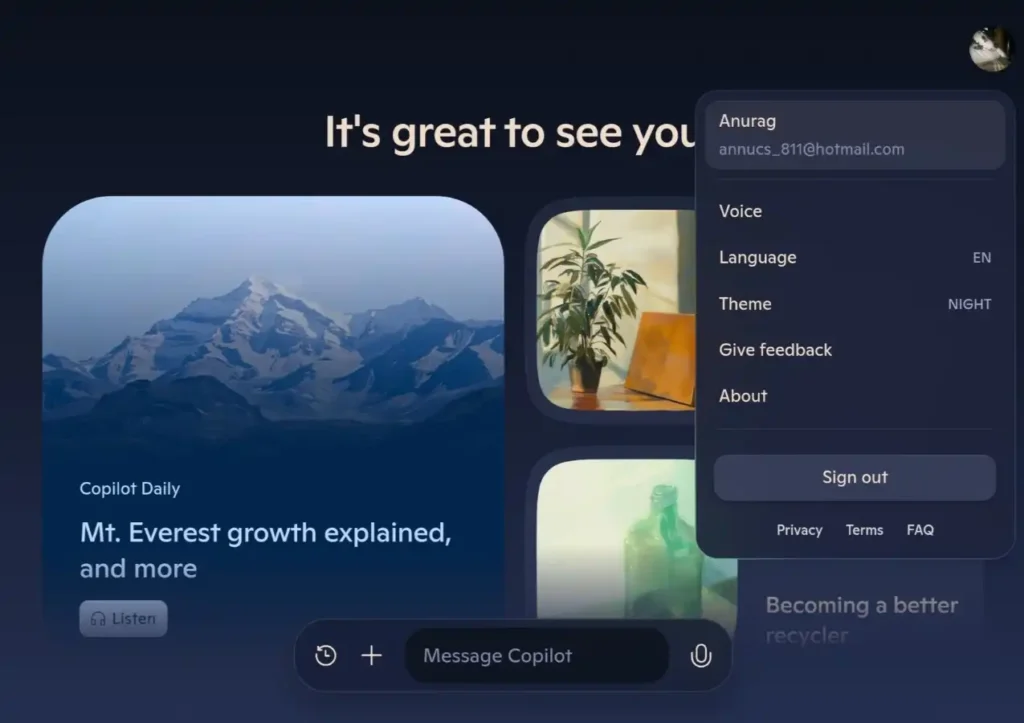
Microsoft’s work on Copilot’s Voice Expressions fits into a larger ambition: creating emotional AI capable of understanding and expressing human intent.
According to Microsoft Research, future iterations of this technology could:
- Support real-time emotion detection.
- Synchronize facial expressions with speech.
- Integrate into HoloLens, Microsoft Teams, and Windows AI assistants.
This aligns with the growing global trend toward multimodal AI systems that blend text, speech, vision, and emotion for richer interaction.
Comparison: How It Stacks Up Against Other Voice AIs
| Feature | Microsoft Copilot’s Voice Expressions | Google WaveNet | Amazon Polly |
|---|---|---|---|
| Emotion Control | ✅ Advanced (Emotive Mode) | ⚠️ Limited | ⚠️ Basic |
| Storytelling Mode | ✅ Yes | ❌ No | ❌ No |
| Free Access | ✅ Yes (Trial) | ❌ Paid | ❌ Paid |
| Integration Ease | ✅ Simple MP3 Export | ✅ API Focused | ✅ API Focused |
| Voice Personalization | ✅ Multi-Character Support | ❌ | ❌ |
Verdict: Microsoft’s approach goes beyond simple text-to-speech — it’s about emotional connection and human realism.
The Future of Human AI Voices
The line between synthetic and human voices is blurring faster than ever. In the near future, tools like Copilot’s Voice Expressions could:
- Enable multilingual emotional narration for global audiences.
- Power personalized AI companions that adapt to your mood.
- Revolutionize entertainment, therapy, and accessibility technologies.
This isn’t just about technology; it’s about empathy. Microsoft is laying the groundwork for an AI era where machines don’t just speak — they feel.
Recommended Tools and Resources
For readers who want to explore more about AI audio, here are some helpful links:
- Microsoft Copilot Labs Official Page
- Statista: AI in Voice Technology Market Growth (2025 Forecast)
- U.S. Department of Education – Assistive Tech Programs
🛍️ Amazon Recommendation
If you’re planning to record professional audio content, consider the Blue Yeti USB Microphone — a favorite among podcasters and educators for its clarity and simplicity.


FAQs About Copilot’s Voice Expressions
1. Is Copilot’s Voice Expressions free to use?
Yes, it’s currently free on modern browsers as part of the Copilot Labs experiment.
2. Do I need a Microsoft account?
Not necessarily. Some features work without login, but full access may require signing in.
3. Can I use it commercially?
Since it’s experimental, commercial use is not officially licensed yet — check Microsoft’s usage terms regularly.
4. What languages are supported?
As of 2025, only English is supported, but multilingual capabilities are expected soon.
5. How realistic are the voices?
In many tests, users described them as “nearly indistinguishable from real human narration.”
Final Thoughts: The Emotional Future of AI Sound
Copilot’s Voice Expressions is more than a technical innovation — it’s a creative revolution. Microsoft has managed to capture something deeply human: the ability to speak with emotion, personality, and intent.
For creators, educators, and developers alike, this means a new era of storytelling where voices generated by machines don’t just deliver information — they move people.
And as AI continues to evolve, it’s clear that the future of voice technology won’t just be about clarity or accuracy — it will be about connection.
Sources: WizTechno.com, Microsoft Research, Statista, TechCrunch